-
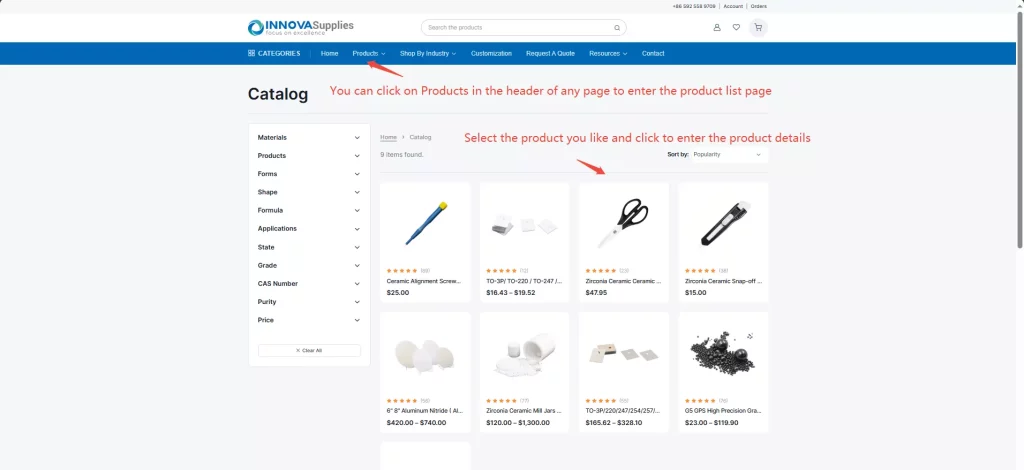
Select the product you are interested in from the product list page.
-
On the product details page:
(1) Choose the attributes you need for the product, such as model, size, etc.
(2) Click “Clear” to clear all selections with one click.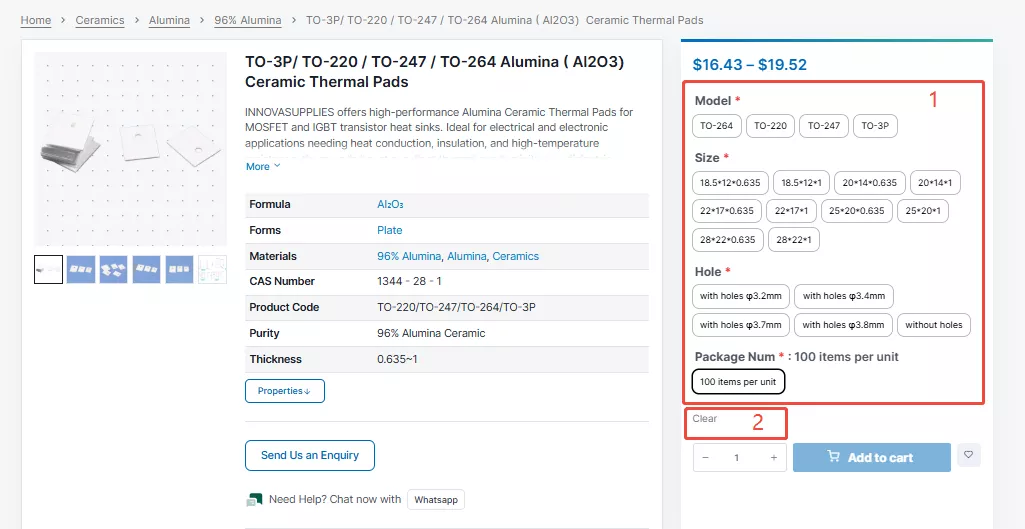
-
After selecting all attributes, the current product’s tiered discount pricing will be displayed:
(1) Current selected product price display
(2) Quantity input box – enter the quantity you want to purchase
(3) After entering the quantity, click “Add to cart” to add the product to your shopping cart
(4) Real-time price calculation section – shows the current unit price and total price corresponding to the quantity you entered.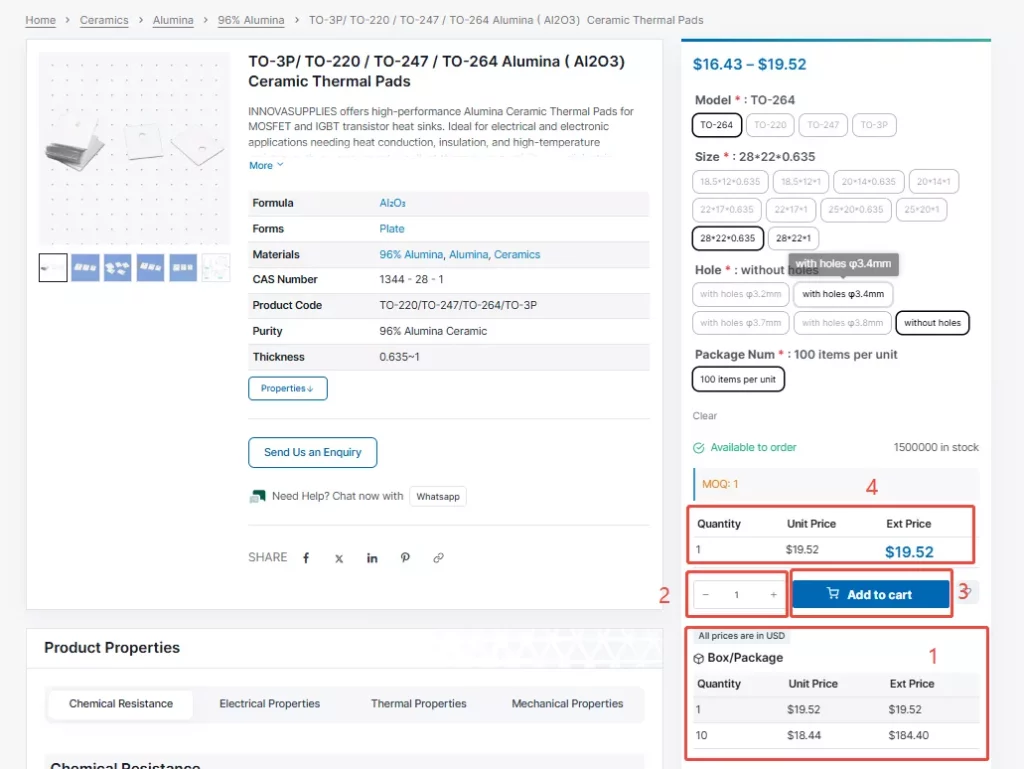
-
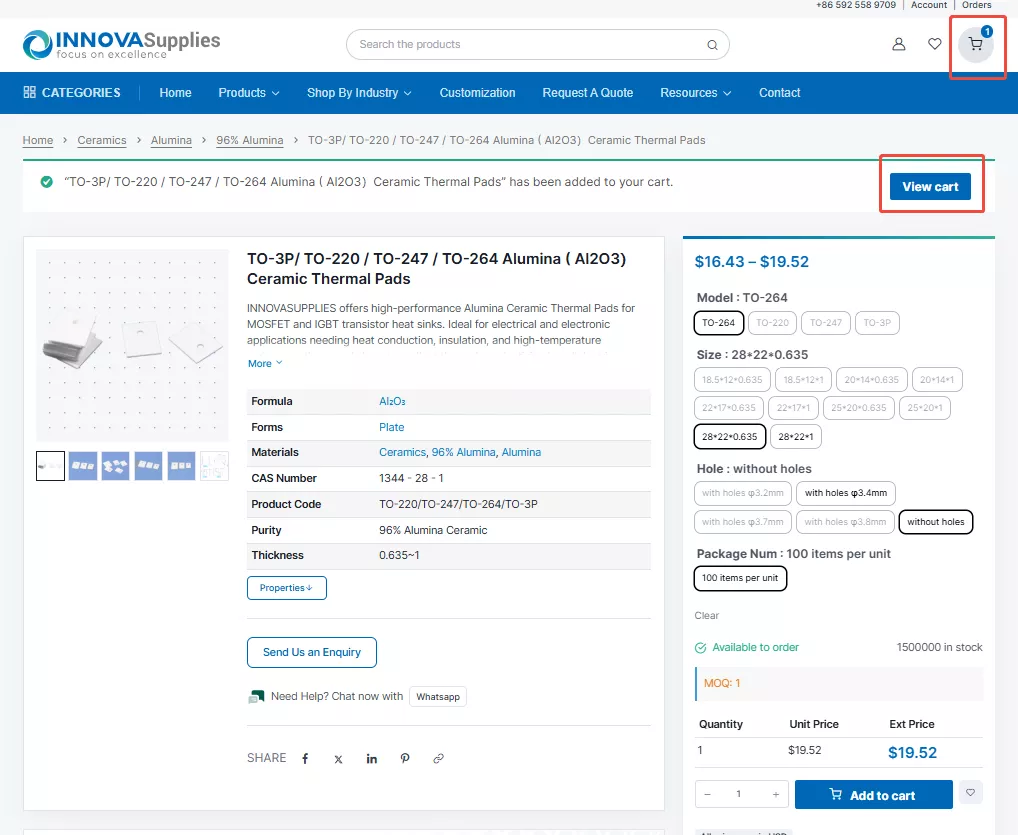
When the product is successfully added to the shopping cart, a success notification will pop up at the top. Click “View cart” to go to the shopping cart page to view the products added to your cart, or you can also check in the shopping cart section in the upper right corner.

Metallized Alumina Ceramic Bases for SMD Fuses: Materials, Structures, and Manufacturing
As consumer electronics, automotive systems, new energy equipment, and communication devices become smaller and more pow…